
Releasing your music on Spotify can be a game-changer for artists, offering a global platform to showcase their work. With over 400 million monthly active users, Spotify provides unparalleled visibility and opportunities for fan engagement. By releasing your music on this platform, you’ll not only reach a massive audience but also tap into its vast library of streaming data, which can help drive royalties and increase your online presence. However, navigating the process can be daunting, especially for new artists who may not know where to start. This article aims to demystify the process, providing a step-by-step guide on how to release music on Spotify and unlock its full potential, allowing you to reach a global audience and build a loyal fan base.
Understanding the Basics of Spotify Distribution
To release music on Spotify, you first need to understand how the platform’s distribution process works, and that starts with knowing its key components. Let’s break down the basics of Spotify’s distribution system together.
What is Spotify’s Content Policy?
Spotify’s content policy is designed to ensure a consistent and high-quality listening experience for its users. The platform has strict guidelines for music submission, which cover various aspects of audio quality, metadata accuracy, and content ownership. According to Spotify’s documentation, uploaded music must meet specific technical requirements, including a minimum sampling rate of 44.1 kHz and a maximum duration of 12 hours per track.
Moreover, all submitted tracks must include accurate and complete metadata, such as artist names, album titles, and genre classifications. This information is crucial for proper categorization and discovery within the Spotify catalog. In addition, music submissions must be free from copyright infringement, with rights holders explicitly granting permission for their content to be used on the platform.
To avoid any potential issues during the submission process, it’s essential to familiarize yourself with Spotify’s content policy and guidelines. You can find more detailed information on the official Spotify Support website or through your chosen distributor’s resources. By understanding and adhering to these rules, you’ll be better equipped to successfully release your music on Spotify and ensure its smooth integration into the platform.
Eligibility Criteria for Spotify Release
Spotify accepts music from a wide range of genres, but it’s worth noting that the platform has specific guidelines for certain types of content. For example, Spotify does not allow explicit or XXX-rated content, nor does it permit music that promotes hate speech or violence.
In terms of territories, Spotify is available in over 180 markets worldwide, which means you can reach a massive global audience with your music. However, if you’re targeting specific countries or regions, keep in mind that some territories have their own unique distribution deals and requirements.
Language-wise, Spotify supports multiple languages for both music and metadata. You can submit music in any language, but it’s essential to provide accurate translation of your track title, artist name, and album art to ensure discoverability on the platform. This is particularly important if you’re targeting non-English speaking markets.
Some genres that require special consideration include classical music, which often features intricate metadata requirements, and spoken-word tracks, which may be subject to additional review processes. To avoid any issues, it’s crucial to check Spotify’s content policy guidelines and ensure your music meets all the necessary criteria before submission.
Benefits of Releasing Music on Spotify
Releasing music on Spotify can significantly amplify your visibility as an artist. With over 400 million monthly active users, Spotify provides a massive platform to reach new audiences and grow your fanbase. By making your music available on the platform, you increase the chances of getting discovered by industry professionals, tastemakers, and potential collaborators.
Spotify also offers lucrative royalty rates for artists and rights holders. When you release your music on Spotify, you can earn between $0.006 to $0.0084 per stream, depending on factors like the type of license agreement you have in place and the market conditions in your region. While these rates may seem small, they add up quickly, especially if you have a popular track or album.
In addition to increased visibility and royalties, releasing music on Spotify also enables fan engagement. With features like Follow, Share, and Add to Playlist, listeners can easily discover and share your music with others. This social sharing aspect of the platform helps to create a buzz around your release, driving more streams, plays, and potential sales. By leveraging these benefits, you can expand your musical reach, build a loyal fanbase, and ultimately advance your career as an artist.
Setting Up Your Music for Spotify Release
Before you can start streaming your music on Spotify, it’s essential to set up a solid foundation by creating a release-ready format and preparing your audio files. This involves a crucial step that many artists skip at their own expense.
Preparing Your Master Files
To prepare your master files for Spotify release, you’ll need to ensure they meet specific format requirements and technical specifications. First, check that your audio is in a high-quality, lossless format such as WAV or AIFF. Avoid using compressed formats like MP3, as they may compromise sound quality.
Next, make sure your metadata is accurate and complete. This includes the title of your track, album artwork, artist name, and genre. You can use tools like MusicBrainz or Discogs to help manage your metadata. Ensure that your master file names match the exact format specified by Spotify: “Title – Artist.wav” (e.g., “Hello World – John Doe.wav”).
Audio specifications are also crucial. Spotify recommends a maximum sample rate of 44.1 kHz and a minimum bit depth of 16 bits. If you’re unsure about your recording’s specs, consider re-exporting it in a compatible format. Finally, verify that your master files are free from any digital rights management (DRM) restrictions.
In most cases, this means removing copy protection or encryption before uploading to Spotify. Keep in mind that some distribution platforms may have specific requirements for mastering and formatting. Double-check with your chosen distributor to ensure compliance.
Creating a Spotify For Artists Account
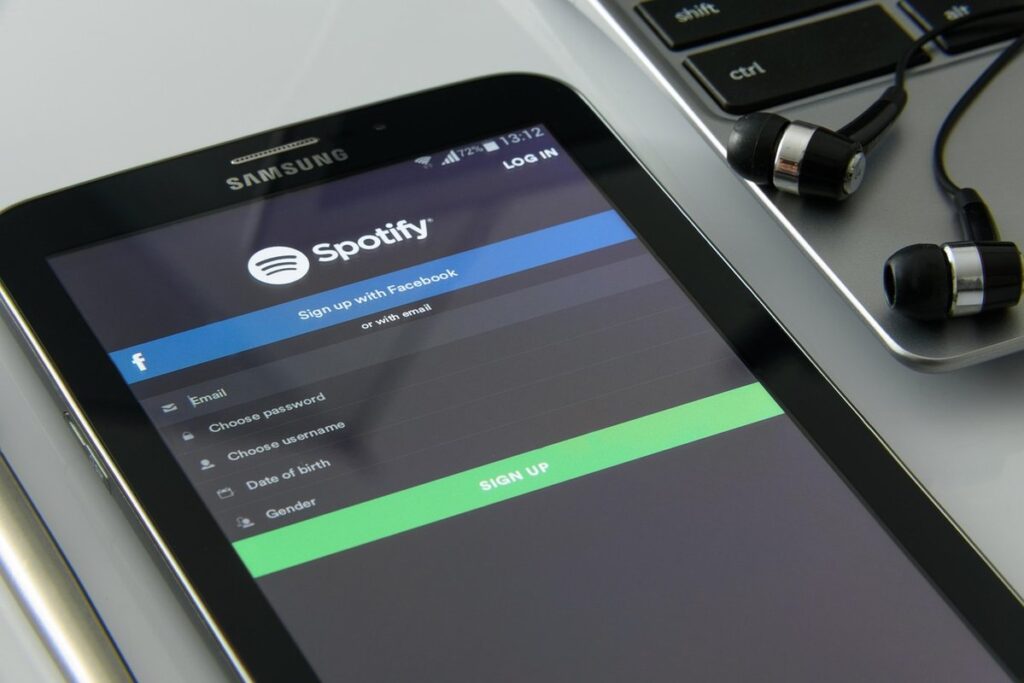
To create a Spotify For Artists account, start by going to the Spotify for Artists website and clicking “Sign up.” You’ll need to provide basic information about yourself and your artist profile. This includes your name, email address, and password. Make sure to use a professional email address that matches your artist brand.
Once you’ve completed the sign-up process, verify your artist identity by linking your Spotify For Artists account to your public-facing online presence. This can be your website or social media profiles. You’ll need to provide a URL for each platform, so make sure they are easily accessible and accurately represent your music.
Spotify will then review your application to ensure you meet their content policy requirements. This typically takes a few days. Once approved, you’ll gain access to the Spotify For Artists dashboard, where you can manage your artist profile, track your analytics, and engage with fans. Be sure to regularly update your account information and keep your online presence up-to-date to maintain a strong connection with Spotify’s algorithm.
Choosing the Right Distributor for Spotify
When it comes to releasing music on Spotify, you have several options for distributors. DistroKid, CD Baby, and Tunecore are popular choices, each with its own features and pricing structures. DistroKid stands out for its user-friendly interface and affordable pricing plan, making it a great option for independent artists.
CD Baby offers more advanced features, such as automatic royalty distribution and detailed analytics. However, its prices can be steeper than DistroKid’s. Tunecore provides a comprehensive suite of services, including music publishing administration and digital marketing tools. While it may seem like a one-stop-shop, its pricing is often higher than the other two options.
Ultimately, the right distributor for you will depend on your specific needs and budget. If you’re looking for an affordable, hassle-free solution, DistroKid might be the way to go. But if you need more advanced features or have a larger music catalog, CD Baby or Tunecore could be the better choice. When evaluating these options, consider factors such as pricing, customer support, and the level of service you require.
Some key things to look for in a distributor include:
- Affordable pricing plans
- User-friendly interface
- Automatic royalty distribution
- Detailed analytics
- Music publishing administration (if needed)
- Digital marketing tools (if needed)
Uploading Your Music to Spotify
Now that you have your music mastered and ready for distribution, let’s walk through the process of uploading it directly to Spotify. This step is crucial for getting your music in front of millions of listeners.
Preparing Your Release Details
To get started, you’ll need to prepare your release details, which includes metadata such as title, artist name, and track information. This is where accuracy matters most, as incorrect information can lead to delays or even a rejected release. Start by crafting a clear and concise title that reflects the tone and style of your music.
Next, ensure your artist name is correctly formatted and consistent across all platforms. This includes your username on Spotify, social media handles, and any other online presence. Track information should also be precise, including genre, album art, and songwriting credits. Make sure to proofread your metadata multiple times for typos or formatting errors.
When inputting track information, consider the following:
- Use a consistent naming convention throughout your release
- Include accurate songwriting credits and collaborations
- Specify any unique features or guest artists
- Ensure correct genre categorization
Take note of the character limits for each field and plan accordingly. For example, track titles can be up to 30 characters, while artist names have a 50-character limit. By paying attention to these details, you’ll set your release up for success on Spotify.
Submitting Your Music to Spotify
When submitting your music to Spotify through a distributor, you’ll typically upload your tracks and metadata (such as song title, artist name, and album art) via their online portal. You can choose from various distributors like DistroKid, CD Baby, or Tunecore, each with its own submission process.
If using a distributor, ensure they’re integrated with Spotify’s Direct Upload feature to streamline the upload process. Some popular distributors offer bulk upload options for multiple tracks at once. Take advantage of these features to save time and effort.
When submitting your music directly through Spotify For Artists, you’ll need to create a release in the platform’s dashboard and select the tracks you want to include. You can also add metadata and album art here. Keep in mind that direct uploads are typically limited to 10 tracks per upload session.
Regardless of which method you choose, proofread your submission carefully before finalizing it. Double-check track titles, artist names, and genres to avoid errors that might delay or even reject your release.
Managing Your Spotify Profile and Playlist Placement
A complete Spotify profile is essential for promoting your music and increasing visibility. Make sure to fill out all sections, including your bio, location, and contact details. Use relevant keywords in your bio and profile description to help fans find you when searching for similar artists.
When it comes to playlist placement, focus on getting featured in high-quality playlists with a strong niche or theme. These playlists often have a dedicated audience and can significantly boost your streaming numbers. Research popular playlists in your genre and try to submit your music to them through the Spotify For Artists dashboard or by reaching out directly to playlist curators.
To optimize your profile for playlist placement, consider the following strategies:
- Submitting to at least 5-10 relevant playlists per month
- Focusing on niche or genre-specific playlists with a smaller but dedicated audience
- Utilizing the “Submit Your Music” feature in Spotify For Artists to reach out to curators directly
- Engaging with fans and encouraging them to submit your music to their favorite playlists
Promoting Your Release on Spotify
Now that you’ve uploaded your music to Spotify, it’s time to get it seen by a massive audience – and that starts with promoting your release effectively.
To maximize visibility and drive streams, we’ll cover essential strategies for successfully promoting your release on the platform.
Building Your Artist Brand on Spotify
Building a consistent image is crucial for artists releasing music on Spotify. This involves creating a recognizable brand identity through visuals and messaging across all platforms. On Spotify, this means using a profile picture, banner image, and bio that accurately reflect your artist name, genre, and tone. A well-designed logo or visual aesthetic can help you stand out in a crowded music landscape.
Your Spotify profile should also clearly communicate your artistic vision and values to potential fans. Use your bio to highlight what sets you apart from other artists – whether it’s your unique sound, lyrical themes, or creative process. This will help attract the right audience and encourage meaningful engagement.
To engage with fans on Spotify, utilize features like comment threads and share your behind-the-scenes content through the “About” section. You can also create playlists featuring your own music or collaborate with other artists to expand your reach. By maintaining a consistent image and interacting with listeners on Spotify, you’ll build a loyal following and increase opportunities for your music to be discovered. This strategy requires ongoing effort but will ultimately strengthen your artist brand on the platform.
Utilizing Spotify Marketing Tools
Spotify offers a range of marketing tools designed to help artists promote their music and connect with fans. One such tool is Canvas, which allows artists to create visually engaging, full-screen ads that can be played before tracks or albums on the Spotify platform. These ads can include images, videos, and text overlays, providing an immersive experience for listeners.
To use Canvas effectively, consider creating a series of ads showcasing your music’s story, such as its creation process, recording sessions, or live performances. You can also use Canvas to promote upcoming releases, new singles, or album anniversaries.
Another tool is Sessions, which enables artists to share live performance videos on Spotify. To maximize the impact of Sessions, make sure your videos are high-quality and well-promoted through social media channels. This will encourage listeners to engage with your music in a more interactive way.
Finally, consider using Spotify Live for real-time streaming of concerts and events. This feature allows you to share exclusive content with fans worldwide, creating a sense of community and fostering engagement around your music.
Measuring Success on Spotify Analytics
Spotify Analytics provides valuable insights into how your music is performing. To measure success on Spotify, you’ll want to focus on metrics such as streams, reach, and audience engagement. Start by navigating to the “Analytics” tab within your Spotify for Artists account.
From there, you can view metrics like total streams, follower growth, and top-performing tracks. The “Reach” metric shows how many unique listeners are discovering your music, while “Audience” provides insights into demographics, such as age, location, and listening habits. You can also track audience engagement through likes, shares, and comments.
To maximize the value of Spotify Analytics, set specific goals for your release, such as increasing streams by 20% within a month or boosting reach among a specific demographic. Regularly review metrics to identify trends and areas for improvement. Consider creating a dashboard with key performance indicators (KPIs) to track progress over time.
For example, if you notice high engagement on a particular track but low visibility, try adjusting your playlist strategy or promotions to focus more on that song. By regularly monitoring Spotify Analytics, you can refine your marketing approach and make data-driven decisions to optimize the success of your music release.
Advanced Spotify Release Strategies
Now that you’ve mastered the basics of releasing music on Spotify, it’s time to take your strategy to the next level by exploring advanced techniques for maximum visibility and success. We’ll cover everything from playlist placement to promotional tools.
Collaborating with Other Artists on Spotify
Collaborating with other artists on Spotify can be a great way to reach new audiences and create fresh music. When co-releasing a track, you’ll need to ensure both parties have the necessary distribution agreements in place. This typically involves one artist or label acting as the primary distributor, while the other party is added as a contributor.
To facilitate a successful co-release, discuss and agree on key terms beforehand, such as ownership rights, revenue splits, and promotional responsibilities. You’ll also need to manage release details carefully, including metadata and artwork, to avoid confusion or errors that could impact your shared audience.
A popular collaboration strategy involves creating remixes of each other’s tracks or featuring guest artists on existing songs. This can add variety to your catalog and appeal to fans who enjoy discovering new sounds. When utilizing this approach, consider factors like tempo, genre, and production style to ensure the featured track complements both parties’ styles.
When collaborating with other artists, keep in mind that Spotify’s content policy requires accurate metadata and proper copyright attribution. Always verify the accuracy of release details before publishing them on the platform.
Utilizing Spotify’s Dynamic Ad Insertion (DAI) Feature
To monetize your music through dynamic ad insertion in podcasts and videos on Spotify, you can utilize the Dynamic Ad Insertion (DAI) feature. This feature allows podcasters and videocasters to insert targeted ads into their content, generating revenue from these ads.
To get started with DAI, ensure that your account is eligible for this feature by checking the Spotify for Artists dashboard. You’ll need a Spotify For Artists account in order to access DAI, so if you haven’t already created one, follow the steps outlined in section 2 of our guide.
Once you’ve checked your eligibility and set up your account, you can start creating dynamic ad insertion campaigns. These campaigns allow you to specify which ads should be inserted into your content based on various targeting options such as geography, demographics, and more.
When creating a DAI campaign, consider the following key points:
- Set clear campaign goals: define what you want to achieve with your DAI campaign.
- Choose relevant ad formats: select from a range of ad formats, including audio ads and display ads.
- Target specific audiences: use Spotify’s targeting options to reach the most relevant listeners for your music.
Maximizing Your Spotify Royalties
To maximize your Spotify royalties, you need to understand how the platform calculates payouts and identify opportunities for optimization. Start by checking your metadata, including track titles, artist names, and album artwork, to ensure consistency across all platforms. A minor discrepancy can lead to delayed or lost payments.
Use a royalty calculator, such as one provided by DistroKid or CD Baby, to estimate earnings based on different scenarios. These tools help you understand how changes in your music’s performance affect your royalties. You might be surprised at the impact of even small increases in streams or downloads.
Another strategy is to consider using a Payout Management Service like Purrault or Audiam. These services aggregate your Spotify earnings with those from other platforms, making it easier to track and collect your royalties. Some also offer features like automated tax reporting, which can save you time and stress during tax season. By taking control of your metadata and leveraging these tools, you can ensure that you’re receiving the maximum possible payout for your music on Spotify.
Frequently Asked Questions
Can I release my music on Spotify if it’s not in one of the accepted languages?
Yes. You can translate your song title, artist name, and track information into any language to make it eligible for release on Spotify. This will help you reach a broader audience worldwide.
What happens if I accidentally submit incorrect metadata or audio files to Spotify?
If you notice an error after submitting your music to Spotify through a distributor, contact the distributor directly to request changes. If you submitted music directly through Spotify For Artists, go to the “Music” tab and select the song to edit its details. Be aware that some edits may require manual review by Spotify staff.
How do I know if my release is eligible for dynamic ad insertion on Spotify?
Dynamic ad insertion (DAI) is available for releases that meet specific criteria, including having a high level of engagement and meeting certain audio quality standards. Check your Spotify Analytics to see if your release meets these conditions. If you’re still unsure, consult with a music distributor or Spotify’s support team.
Can I release the same song on multiple platforms simultaneously?
It’s recommended to prioritize releasing your music on one platform first, then expand to others. This helps maintain consistency and prevents potential issues with metadata duplication. However, some distributors offer simultaneous multi-platform releases; research their services before making a decision.
How do I measure the effectiveness of my Spotify marketing campaigns using Canvas, Sessions, and Spotify Live?
Track engagement metrics such as views, clicks, and audience growth on each campaign. Compare these numbers to your release’s overall performance in Spotify Analytics to gauge the impact of your marketing efforts. Adjust your strategy accordingly based on these insights.